




.png?width=512&height=512&name=FlowFit_Flavicon%20(1).png)







Most translators still work from spreadsheets. They see a string like "Cancel," a character limit, and maybe a developer comment.
What they don't see is the button, the modal, or the menu where that word will actually appear.
That gap between what translators read and what users see is where localisation errors are born. Visual context closes that gap, and teams that use it consistently produce better translations in fewer rounds. This article explores how.
What is visual context in localisation?
Visual context is any visual reference that shows translators where and how their translated text will appear in the final product.
/XTM%20Cloud%20-%20visual%20preview.webp?width=666&height=645&name=XTM%20Cloud%20-%20visual%20preview.webp)
It connects strings to their real-world placement so translators can make informed decisions about word choice, length, and tone.
Visual context comes in several forms:
- Static screenshots attached to individual strings or translation keys
- Design mockups from tools like Figma that show layout, spacing, and brand placement
- Live previews that render the actual UI in the translation editor
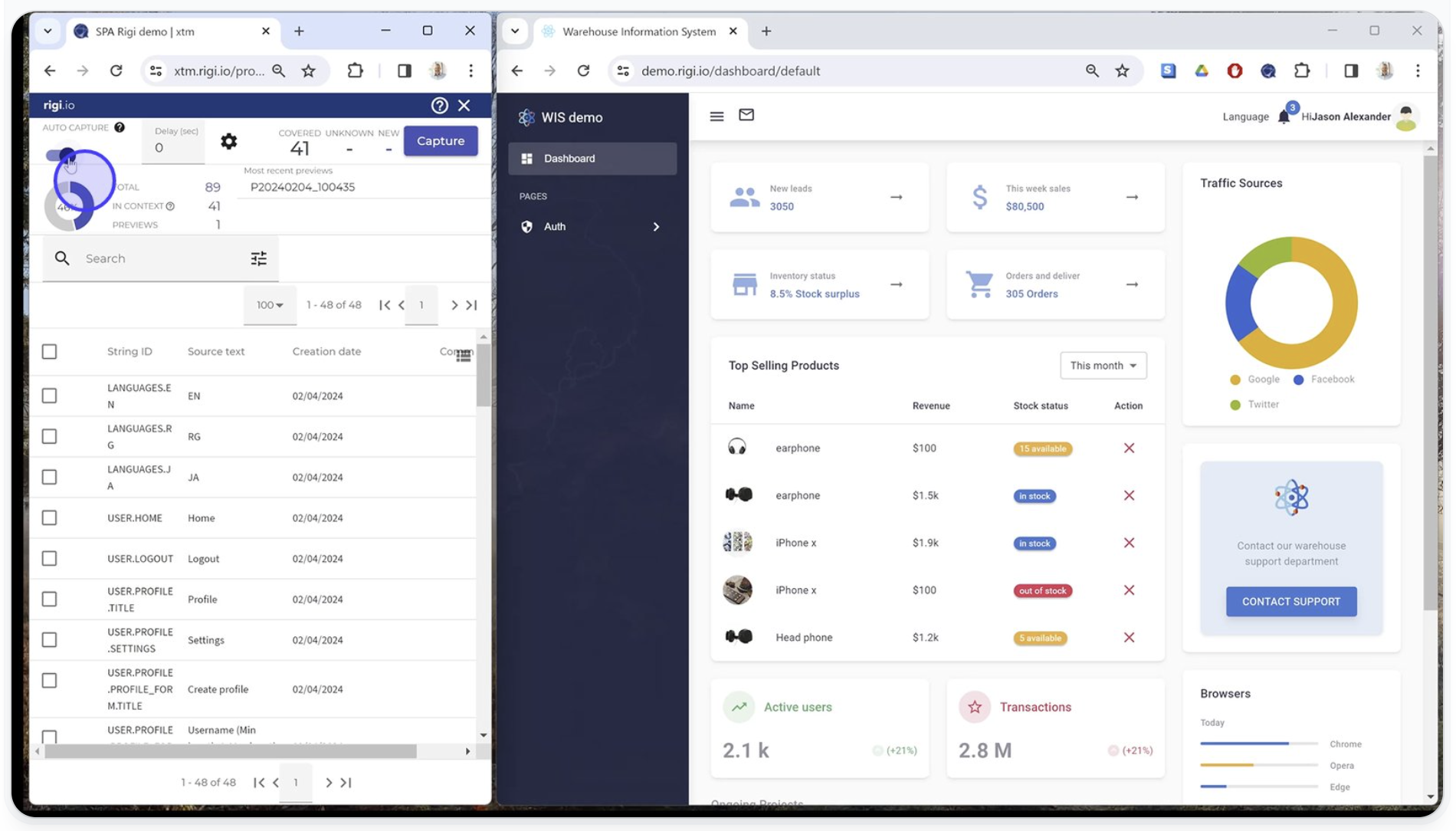
- Dynamic visual previews that capture the interface from a staging environment and update automatically as the product changes
The key difference between visual context and textual context (like comments or descriptions) is specificity.
A comment might say "this is a button label." A visual preview shows the exact button, its size, its position on the screen, and the elements around it. That difference changes how translators approach the string.
Why does visual context matter for translation quality?
Visual context reduces translation errors by removing the guesswork that causes them.
When translators can see the UI, they make better decisions about meaning, length, and tone on the first pass.
Consider the ambiguity problem. A string like "Set" could be a noun (a collection), a verb (to configure), or an adjective (ready). Without visual context, a translator picks the most likely meaning and moves on. If they pick wrong, that error survives review and ships to users.
Text expansion is another issue. German text runs roughly 30% longer than English. If a translator can't see the button or menu they're translating for, they can't judge whether their translation will fit. The result is truncated labels, broken layouts, and a QA cycle that should have been unnecessary.
Tone depends on placement too. A string in a tooltip needs to be concise and instructional. The same string in a marketing banner needs to be persuasive. Without seeing the context, translators default to a neutral tone that fits neither.
| Error type | Example | Impact |
|---|---|---|
| Ambiguity | "Set" translated as noun instead of verb | Confusing UI labels |
| Text overflow | German translation too long for button | Broken layout, truncated text |
| Wrong tone | Tooltip translated in marketing style | Inconsistent user experience |
| Missing plural | Singular form used where plural is needed | Grammatical errors in UI |
How visual context speeds up localisation workflows
Visual context eliminates the review loops and developer interruptions that slow localisation down. When translators get it right the first time, everything downstream moves faster.
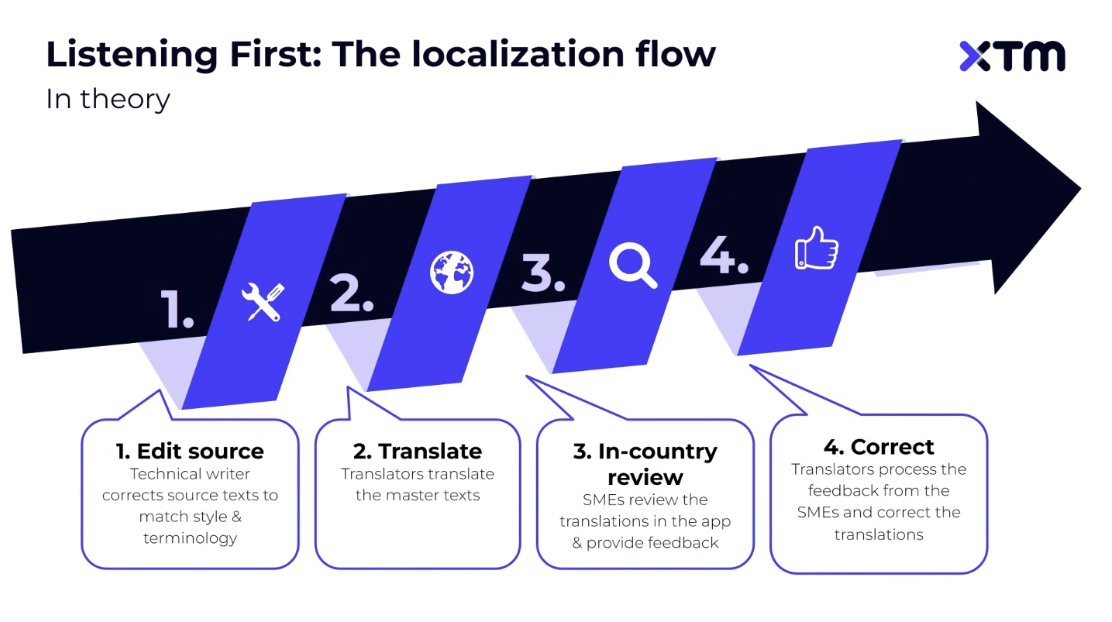
In a traditional localisation workflow, developers finish a feature, export strings, and hand them off. Translators work through the strings, flag questions, and wait for answers. Reviewers catch layout issues that require retranslation. QA finds more problems in the built product. Each of these steps adds days.
With visual context built into the translation editor, most of those loops disappear. Translators see the UI, make the right call, and move on. Reviewers confirm in context rather than cross-referencing screenshots. QA catches fewer issues because the major ones were prevented at the source.
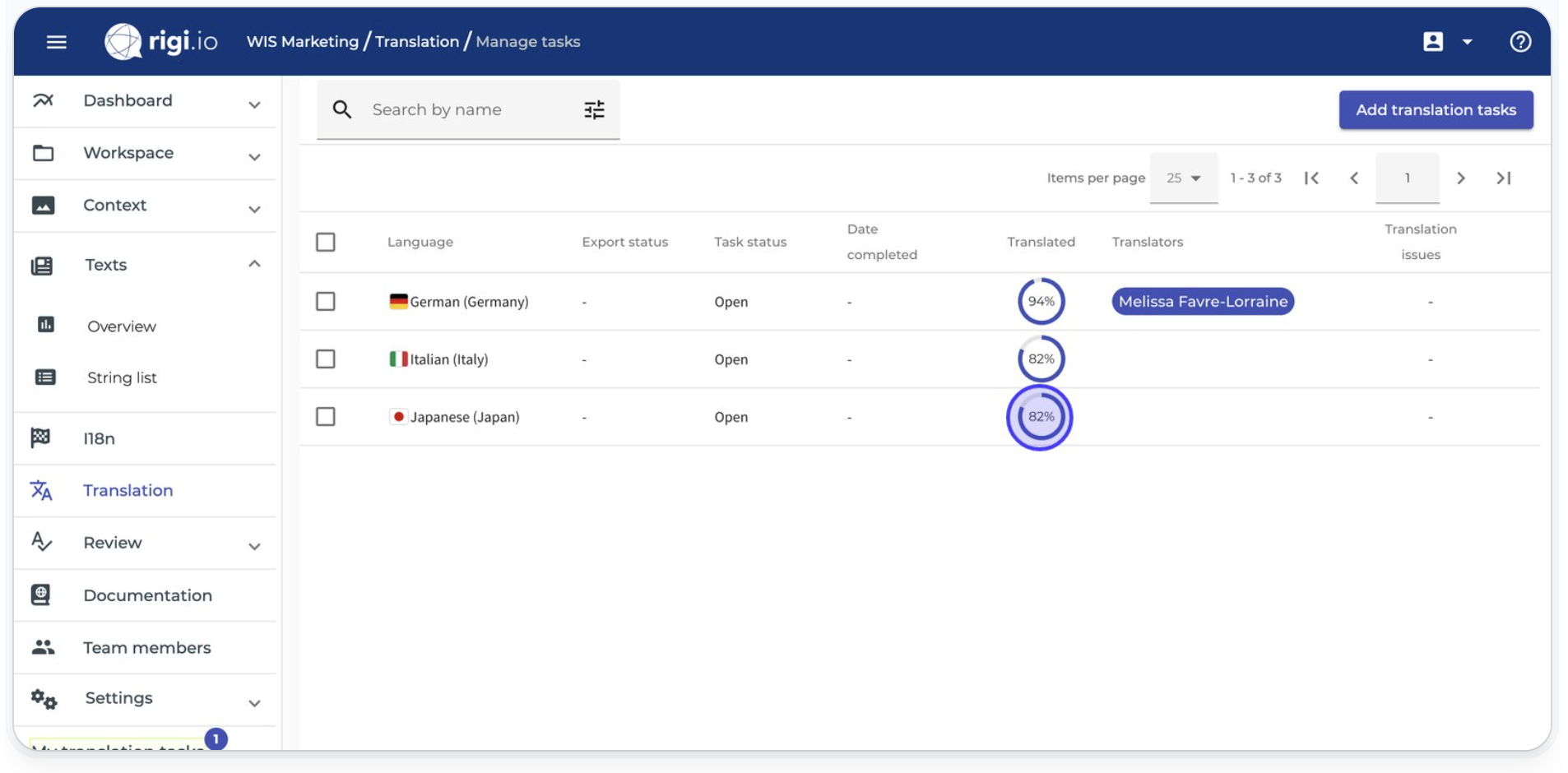
The developer impact is significant. Without visual context, engineers spend a meaningful chunk of their time answering localisation questions, generating screenshots, and explaining string behavior. With tools like Rigi, developers spend up to 90% less time supporting localisation testing and translation processes.
| Stage | Without visual context | With visual context |
|---|---|---|
| Translation | Guesswork, frequent queries | Informed decisions, fewer questions |
| Review | Cross-referencing external screenshots | In-context validation |
| QA | Layout bugs caught late | Layout issues prevented early |
| Developer support | Hours per sprint on context questions | Minimal involvement needed |
What does good visual context look like across content types?
The right visual context depends on what you're translating. A one-size-fits-all approach doesn't work because different content types create different translation challenges.
For software localisation, dynamic previews are the gold standard. Translators need to see strings in their actual UI state, including buttons, dropdown menus, modals, error messages, and tooltips. Static screenshots go stale quickly, so tools that capture previews directly from staging environments provide more reliable context.
For marketing localisation, design mockups from Figma or similar tools give translators the layout, spacing, and brand context they need. Marketing content is highly visual, and even small changes in word length can break a carefully designed layout.
For documentation and help content, page-level previews that show headings, callouts, code blocks, and formatted text help translators maintain structure and consistency. A translated heading that works grammatically but breaks the visual hierarchy of a help article still creates a poor user experience.
| Content type | Ideal visual context method | Key benefit |
|---|---|---|
| Software UI | Dynamic previews from staging | Always current, shows real UI states |
| Marketing content | Design tool mockups (Figma) | Preserves layout and brand design |
| Help/documentation | Page-level formatted previews | Maintains structure and hierarchy |
How to implement visual context in your localisation process
Start by identifying where your translators lack context today, then automate the solution. You don't need to overhaul your entire workflow at once.
-
Audit your context gaps. Look at where translators ask the most questions. Which string types generate the most QA bugs? Which languages suffer from the most layout issues? These patterns reveal where visual context will have the biggest impact.
-
Automate context capture. Manual screenshots don't scale. They go stale the moment the UI changes, and someone has to create, organise, and attach them. Tools like Rigi capture screen previews directly from your staging server with no code changes or manual intervention needed.
-
Integrate previews into the translation editor. Visual context works best when it's part of the translation experience, not a separate tab or file. Translators should see the preview alongside the string they're working on inside their translation management system.
-
Use context in review and QA too. Visual context doesn't just help translators. Reviewers, in-country stakeholders, and QA teams all make better decisions when they can see the product in context. Build visual review into every stage of your localisation strategy, not just translation.
Final thoughts
Visual context isn't a luxury feature for enterprise teams. It's the difference between translators making informed decisions and translators making educated guesses.
Teams that embed visual context into their localisation process consistently see fewer errors, faster turnaround, and less developer time spent on translation support. The technology to make this happen already exists, and the implementation doesn't require rebuilding your workflow from scratch.
If your translators are still working from spreadsheets without seeing the product, that's the first bottleneck worth fixing. Explore how Rigi brings visual context into your localisation workflow and see the difference it makes.
FAQ
What is visual context in localisation?
Visual context is any visual reference, such as a screenshot, design mockup, or live UI preview, that shows translators where and how their translated text will appear in the final product. It helps them make accurate decisions about word choice, length, and tone by connecting strings to their real-world placement.
Why is visual context important for translation quality?
Visual context removes ambiguity that causes translation errors. When translators can see the interface, they choose the right meaning for ambiguous strings, avoid text overflow issues, and match the tone to the placement. Teams using dynamic visual previews report significantly fewer translator queries and QA bugs.
How do you provide visual context to translators?
The most effective approach is to automate visual context capture from your staging environment or design tools and integrate those previews directly into the translation editor. Tools like Rigi by XTM capture dynamic UI previews automatically with no code changes, giving translators a live view of the product alongside every string they translate.

Subscribe for More
Lorem ipsum dolor sit amet, consectetur adipiscing elit, sed do eiusmod tempor incididunt ut labore et dolore magna aliqua. Ut enim ad minim veniam, quis nostru.