




.png?width=512&height=512&name=FlowFit_Flavicon%20(1).png)






Most localization tools assume your product lives in a browser. But if you're localizing desktop software, mobile apps, embedded device interfaces, or legacy systems, that assumption leaves your team working blind. Translators see string lists, not UI. Reviewers guess at layout. And engineering gets pulled into every cycle to provide context that should already be available.
Rigi Snapshot eliminates that problem. It's now available for macOS and Windows as part of Rigi by XTM.
The problem with localizing non-web applications
Web-based localization tools have matured significantly. If your product runs in a browser, you likely have access to in-context preview and automated QA workflows. Non-web applications don't have that luxury.
Desktop software, mobile apps, embedded device interfaces, and industrial instrument panels all share the same challenge: there's no scalable way to give translators visual context for the content they're working on. The workaround is manual screenshots, but those go stale fast and become a project in themselves.
The result is a set of problems that compound with every release:
- Constant context queries. Translators ask where strings appear. Reviewers ask for screenshots. Developers stop what they're doing to respond
- Engineering dependency. Localization can't move forward without developer input, creating a bottleneck that gets worse as you add languages
- Invisible QA failures. Truncation, overlap, and layout issues only surface after release because reviewers can't validate in the real UI
- Manual screenshot maintenance. Someone has to capture, label, and attach screenshots to the right strings every cycle. They're outdated within weeks
- Slower release cycles. Every back-and-forth between localization and engineering adds days to the timeline
These aren't edge cases. For teams localizing non-web applications, this is the daily reality. Rigi Snapshot was built to remove it.
How Rigi Snapshot works
Rigi Snapshot takes a different approach to visual context. Instead of asking teams to manually connect screenshots to strings, it automates the entire process by capturing live application interfaces and converting them into structured, translatable previews.
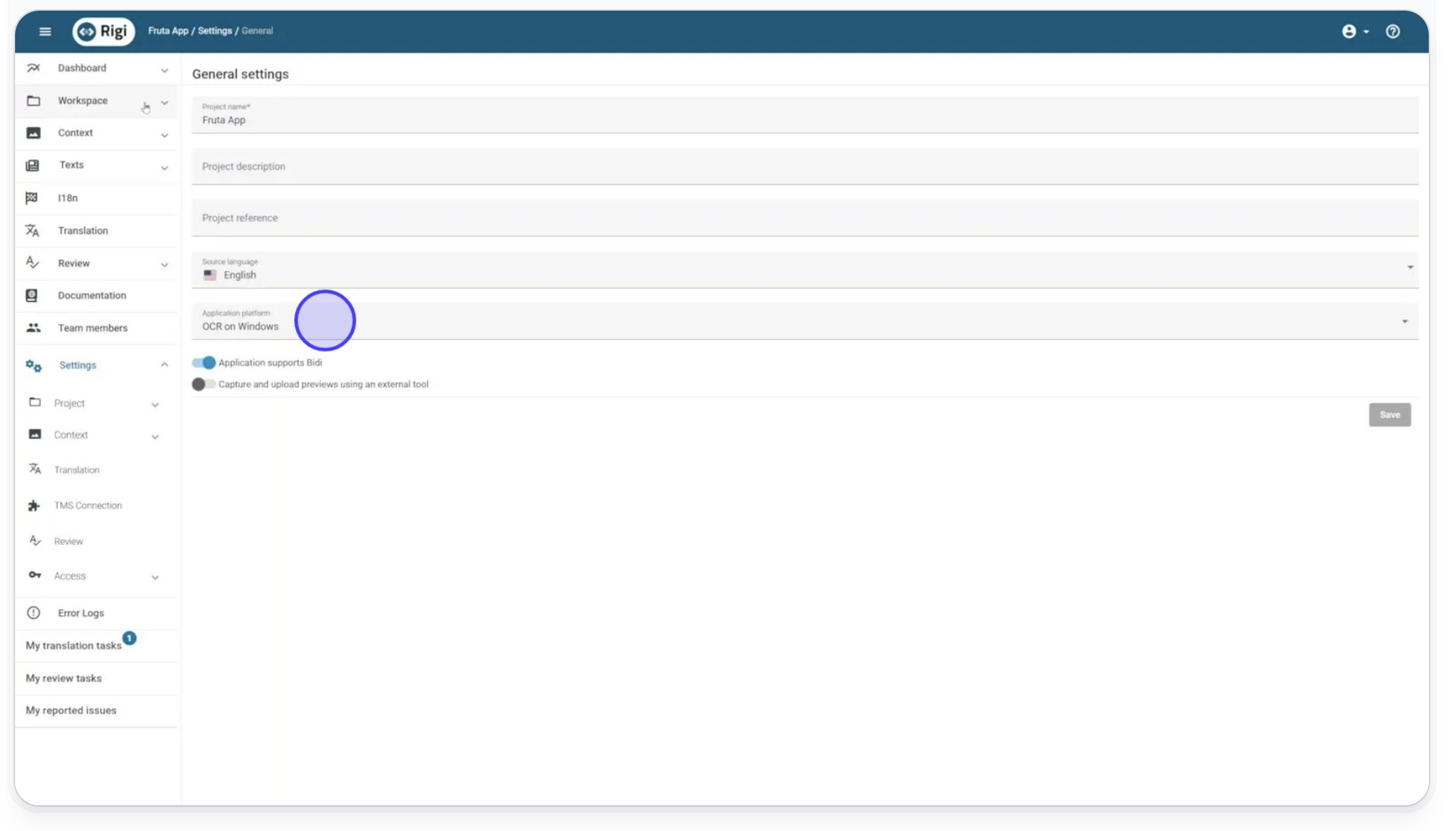
1. Enable OCR tokens in your application
Turn on Optical Character Recognition in Rigi. This creates visible markers on every translatable string in your application, giving Rigi Snapshot something to map against.
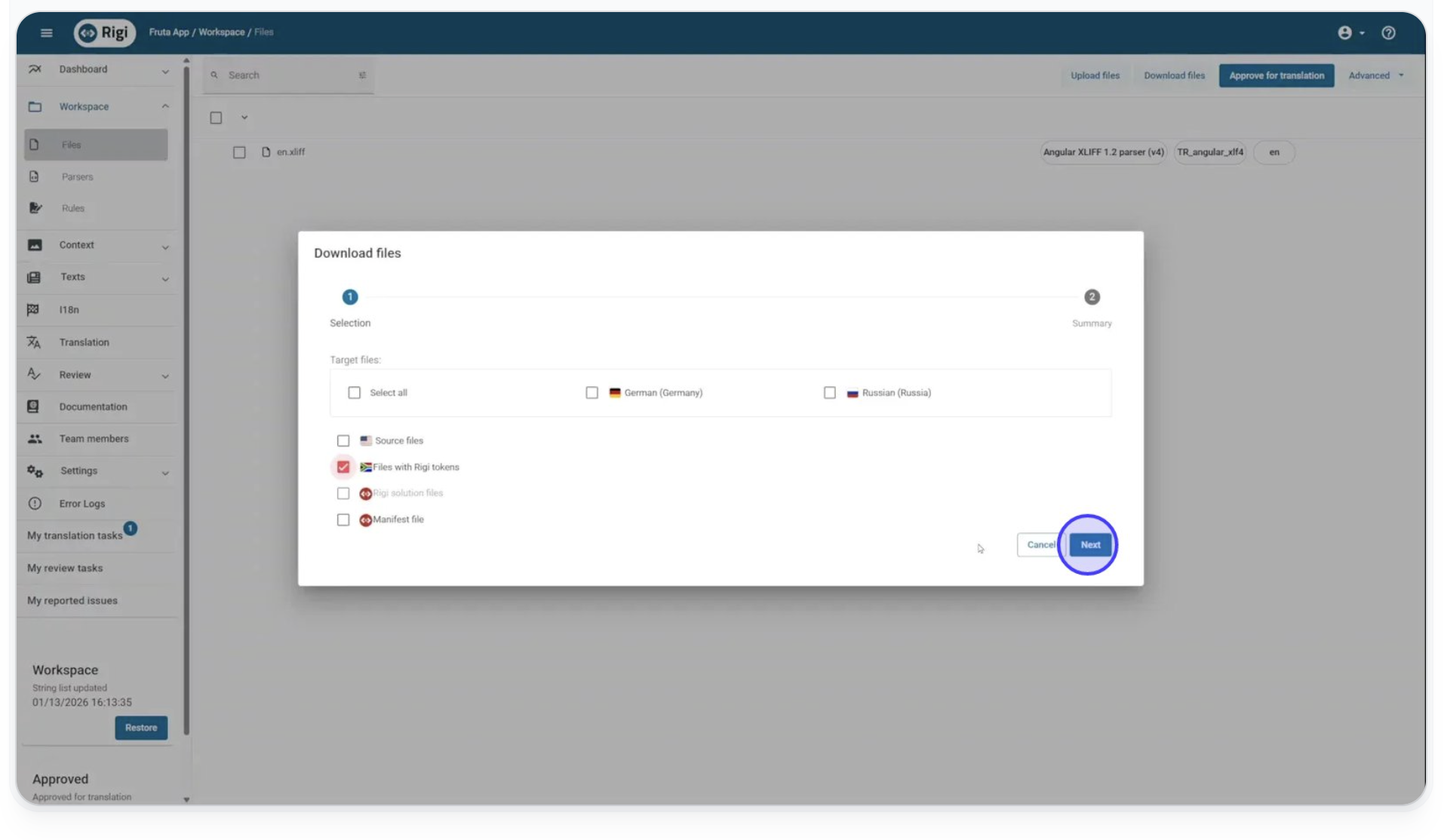
2. Export your tokenized resource files
Download your app's resource files as XLIFF. Each file now contains tokenized strings in double curly bracket format, so Rigi Snapshot can identify exactly where text sits on screen.
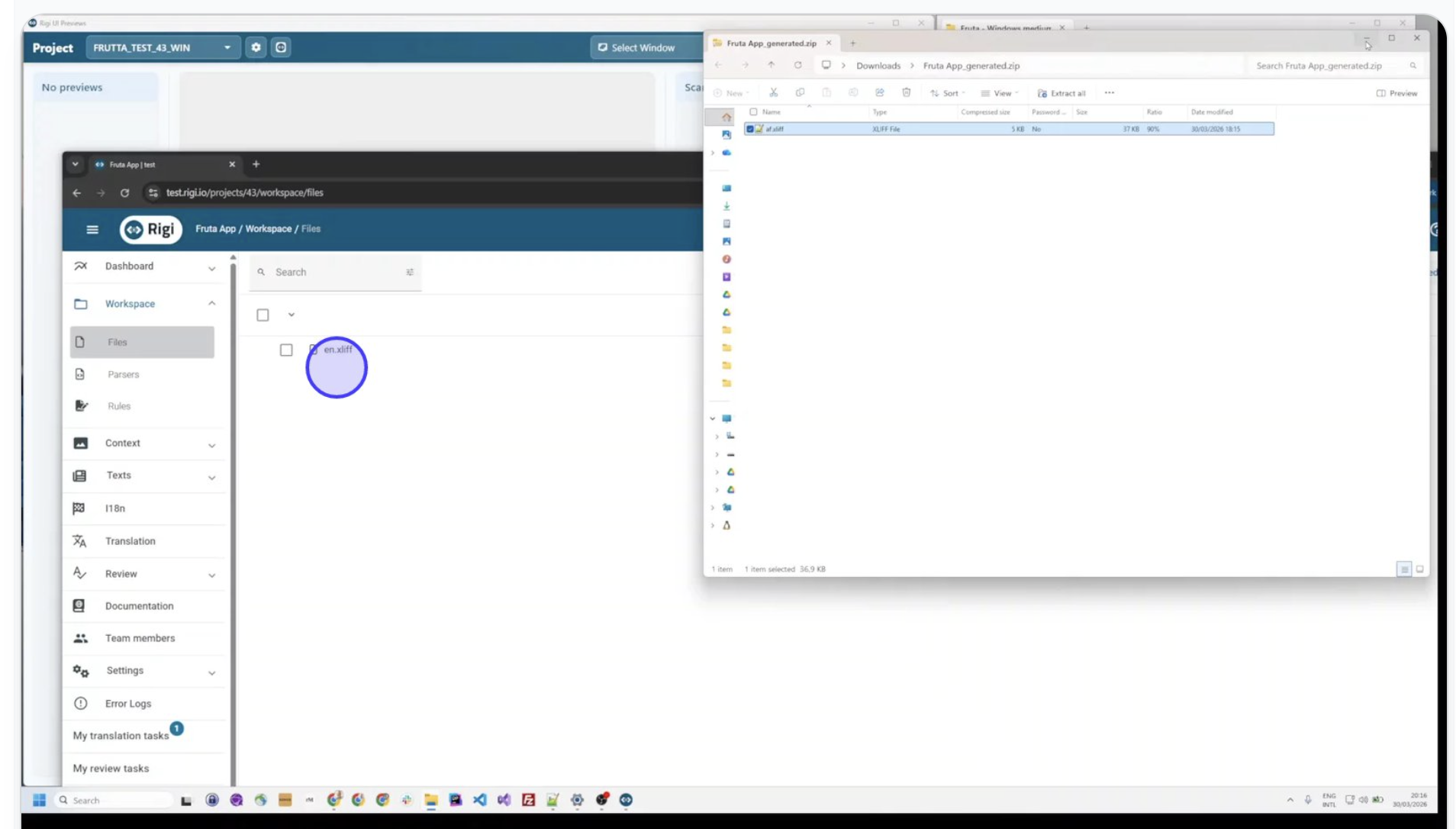
3. Load tokenized strings into your simulator
Import the tokenized resource files into your app simulator or emulator. All localizable text now appears with visible markers.
4. Capture your application screens
Take screenshots of every screen you want to localize. You can do this manually or automate it through your existing UI testing workflow.
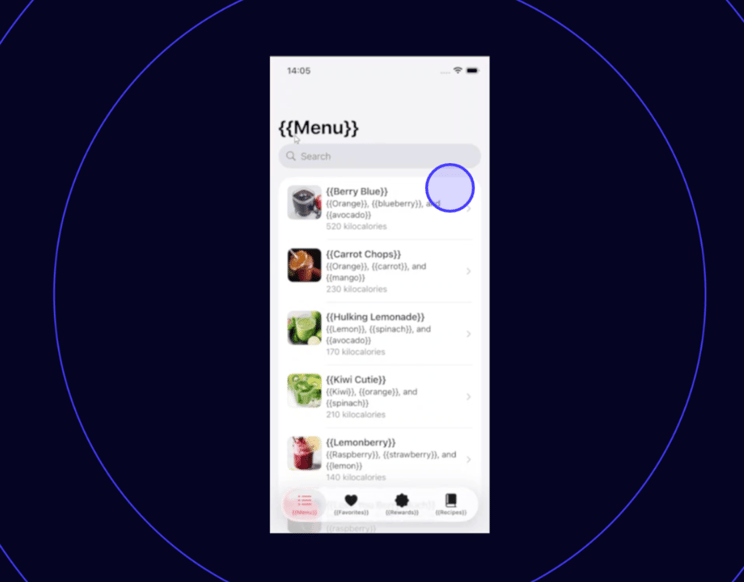
5. Drag and drop into Rigi Snapshot
Drop your screenshots into Rigi Snapshot. The tool scans each image, detects the curly bracket tokens, and matches them against your Rigi project strings.
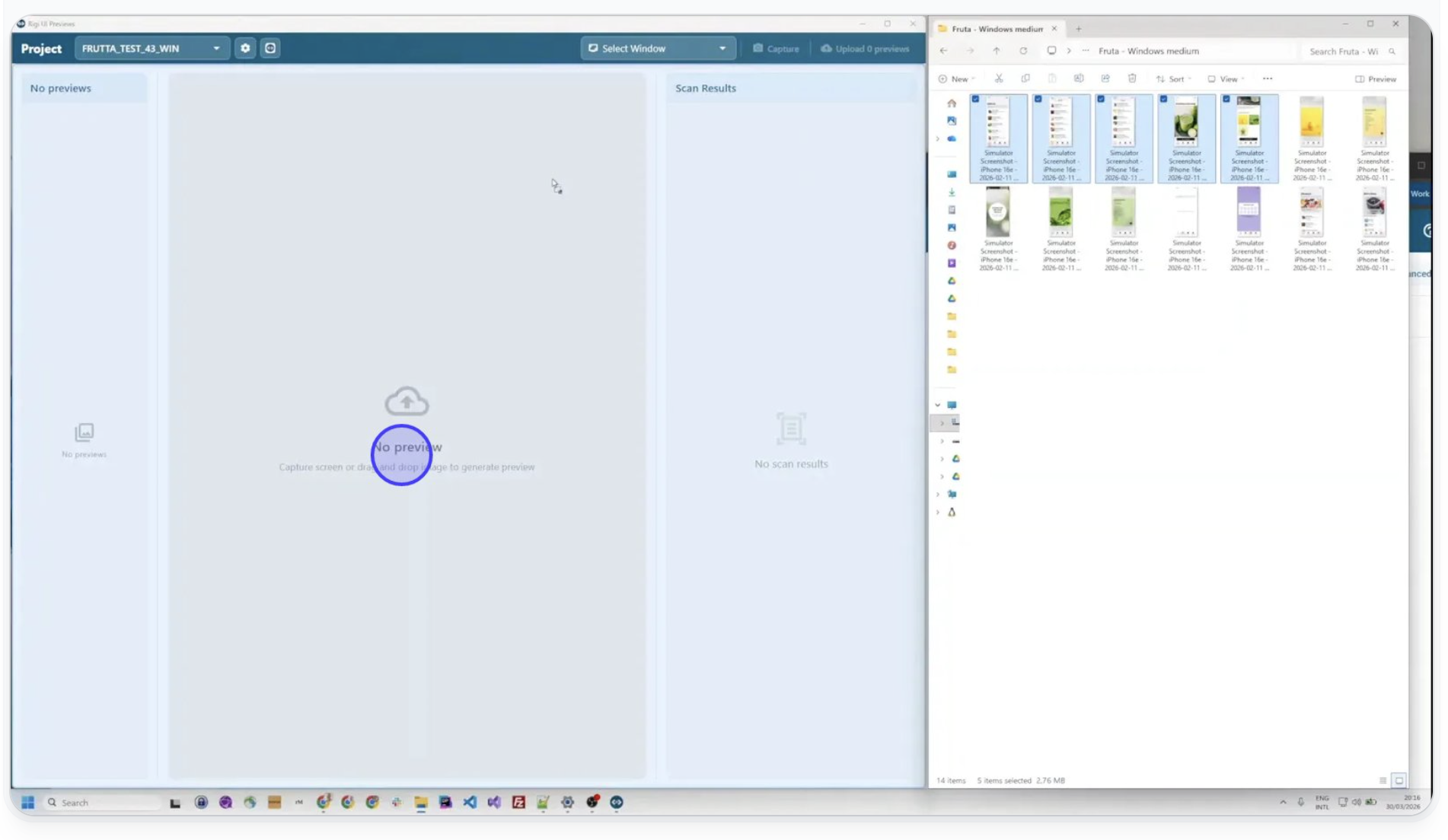
6. Generate interactive HTML previews
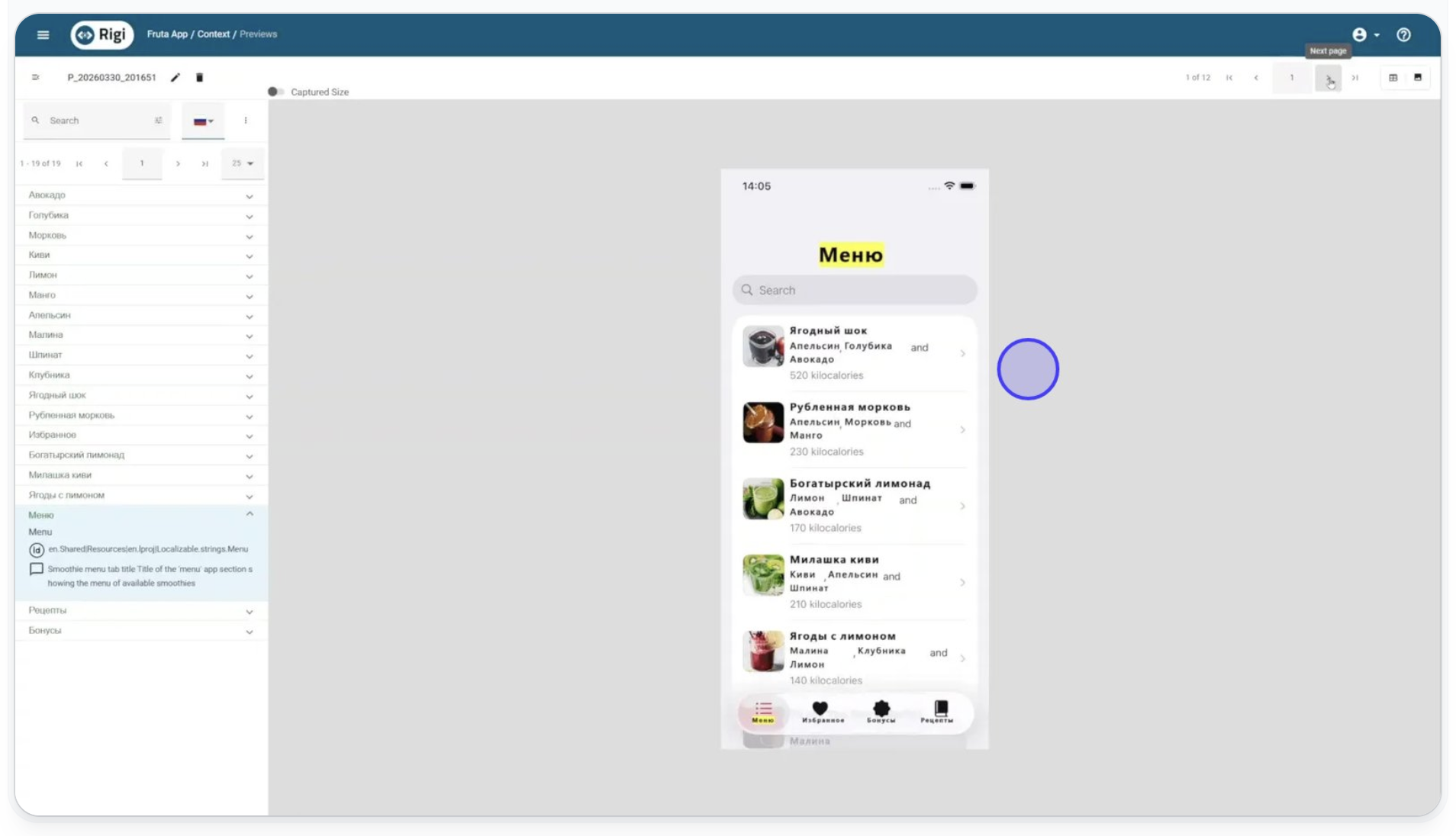
Rigi Snapshot converts your static screenshots into interactive previews where every matched string is directly editable in context. These aren't images. They're structured, reusable assets.
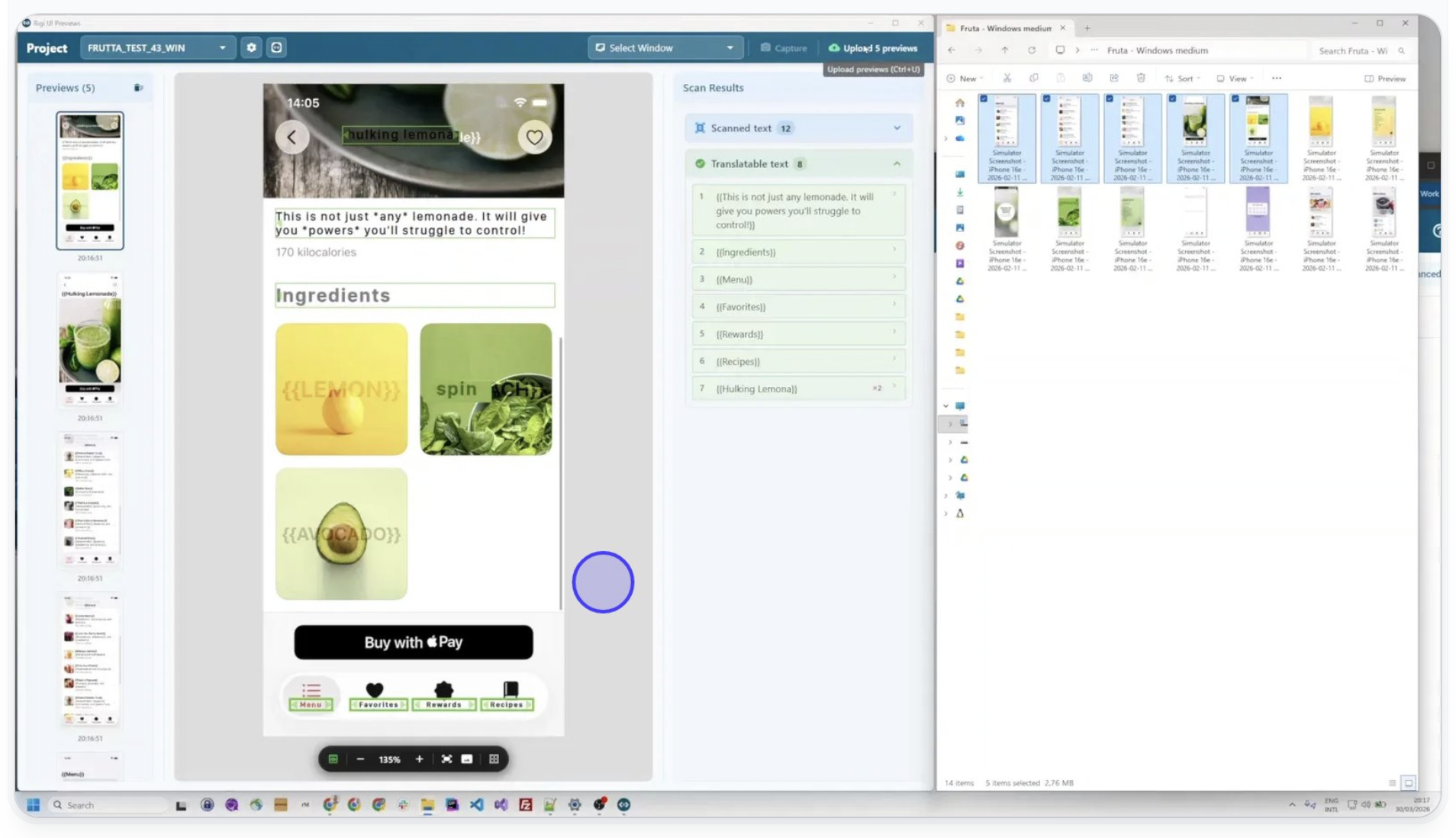
7. Upload to your Rigi server
Push your previews directly to Rigi. Your localization team can start using them immediately, with no additional setup required.
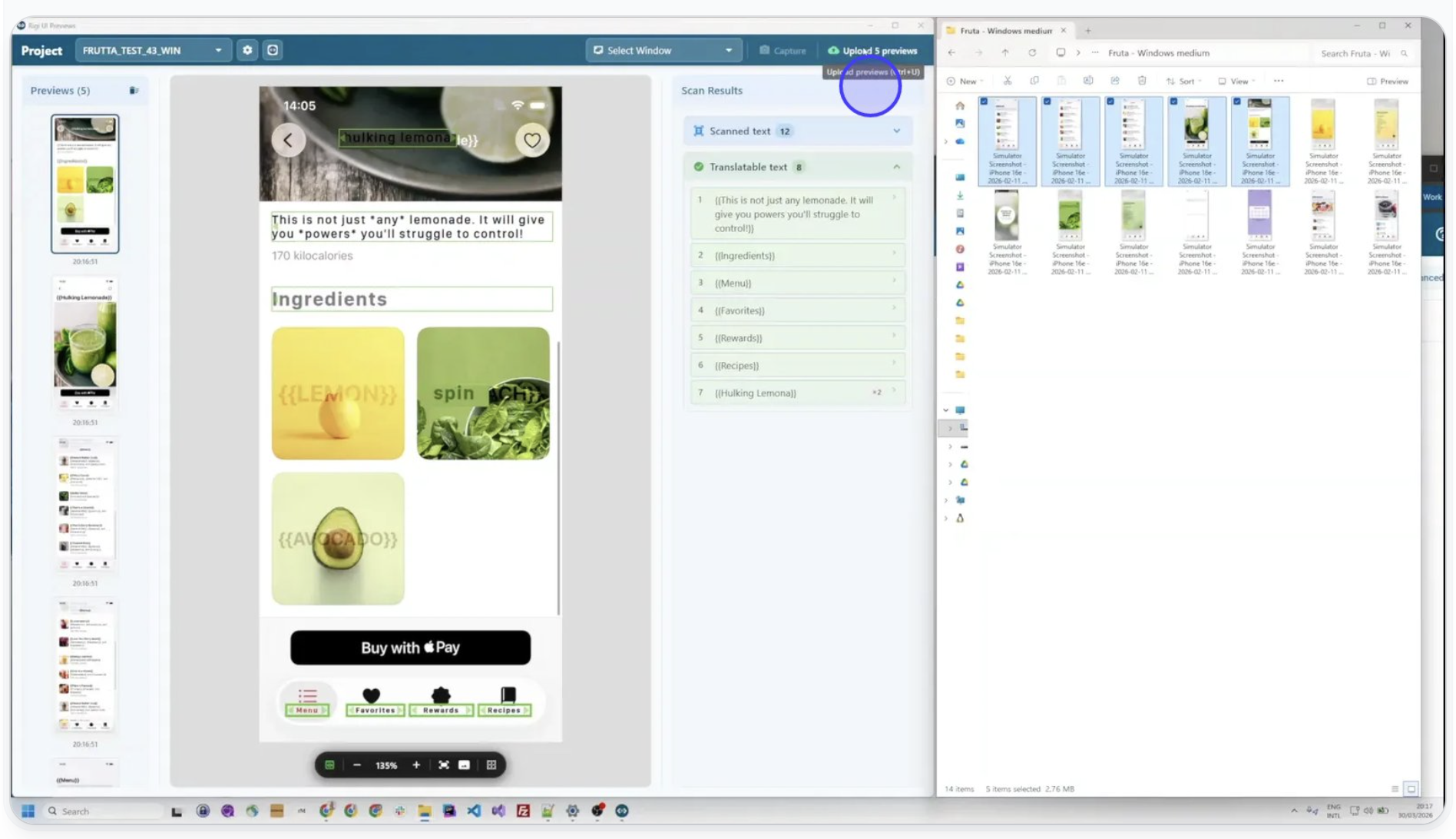
8. Translate and review in context
Inside the Rigi Editor or your CAT tool of choice, translators get a side-by-side view of the real UI alongside their translations. Reviewers can verify layout, truncation, and consistency without leaving their workflow.
Who is Rigi Snapshot for?
Rigi Snapshot addresses a pain point that cuts across multiple roles. Here's what changes for each.
| Who it's for | Before Rigi Snapshot | After Rigi Snapshot |
|---|---|---|
| Localization managers | Chase developers for context every cycle | Run translation and review workflows independently |
| Engineering and product teams | Lose capacity to localization support requests | Stay focused on product development |
| QA and linguistic reviewers | Review strings in isolation with no UI visibility | Validate translations in the actual application interface |
The strongest fit today is in industries where non-web applications dominate: manufacturing (embedded device UI), life sciences (instrument panels and companion apps), automotive (dashboard and in-car interfaces), and enterprise software companies with complex desktop or mobile products.
See how Rigi Snapshot works
Rigi Snapshot is available now for macOS and Windows and ships as part of Rigi by XTM. If you're an existing Rigi customer, you can start using it today. If you're evaluating Rigi for the first time, Snapshot is included in your license.
Setup is straightforward. Install the application, connect it to your Rigi project, and start capturing. No code integration required. No developer involvement needed.

Talk to the XTM team about your evaluation
We'll walk through a direct comparison with your current platform and shortlist — and set up a demo tailored to your programme.