Drive smarter growth with XTM's BI Dashboards

    Get real-time insights into project performance, costs, and productivity with our Business Intelligence dashboards. Transform localisation data into strategic decisions that improve quality, reduce costs, and accelerate delivery 

    XTM_Cloud_Premium_BI_Dashboard 2

    Turn localisation data into meaningful insights

    Get a clear view of the metrics that matter, and understand the true impact your localisation program has on your business.

    • Single arrow - lavender
      Project performance insights


    • See how every project is performing

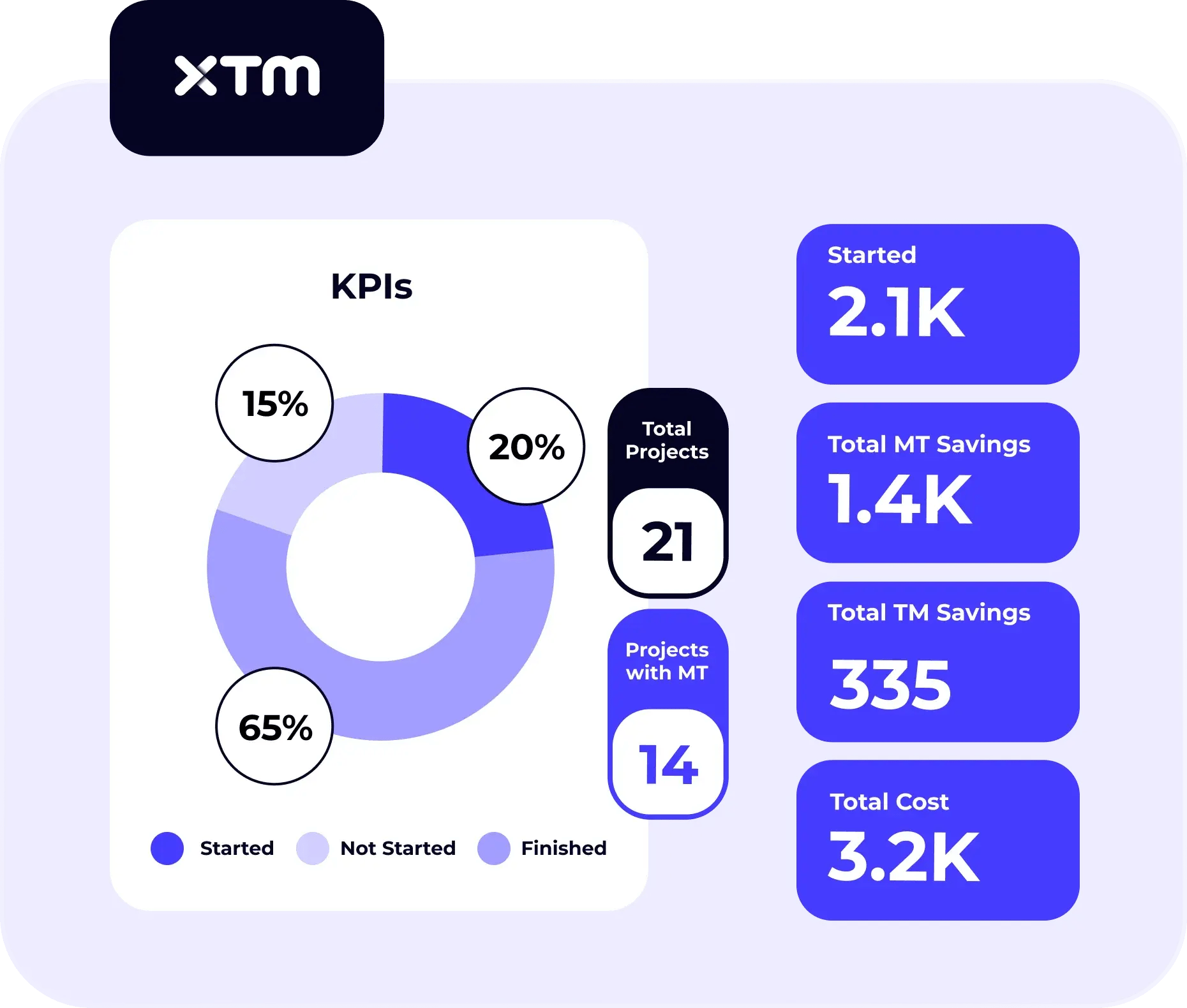
      Track throughput, translation memory reuse, costs, and delivery times across teams. Quickly see what’s on track and where delays could happen before they impact deadlines.

      Dashboard showing project KPIs: started, not started, finished, savings, and cost.

      Spot trends that guide smarter decisions

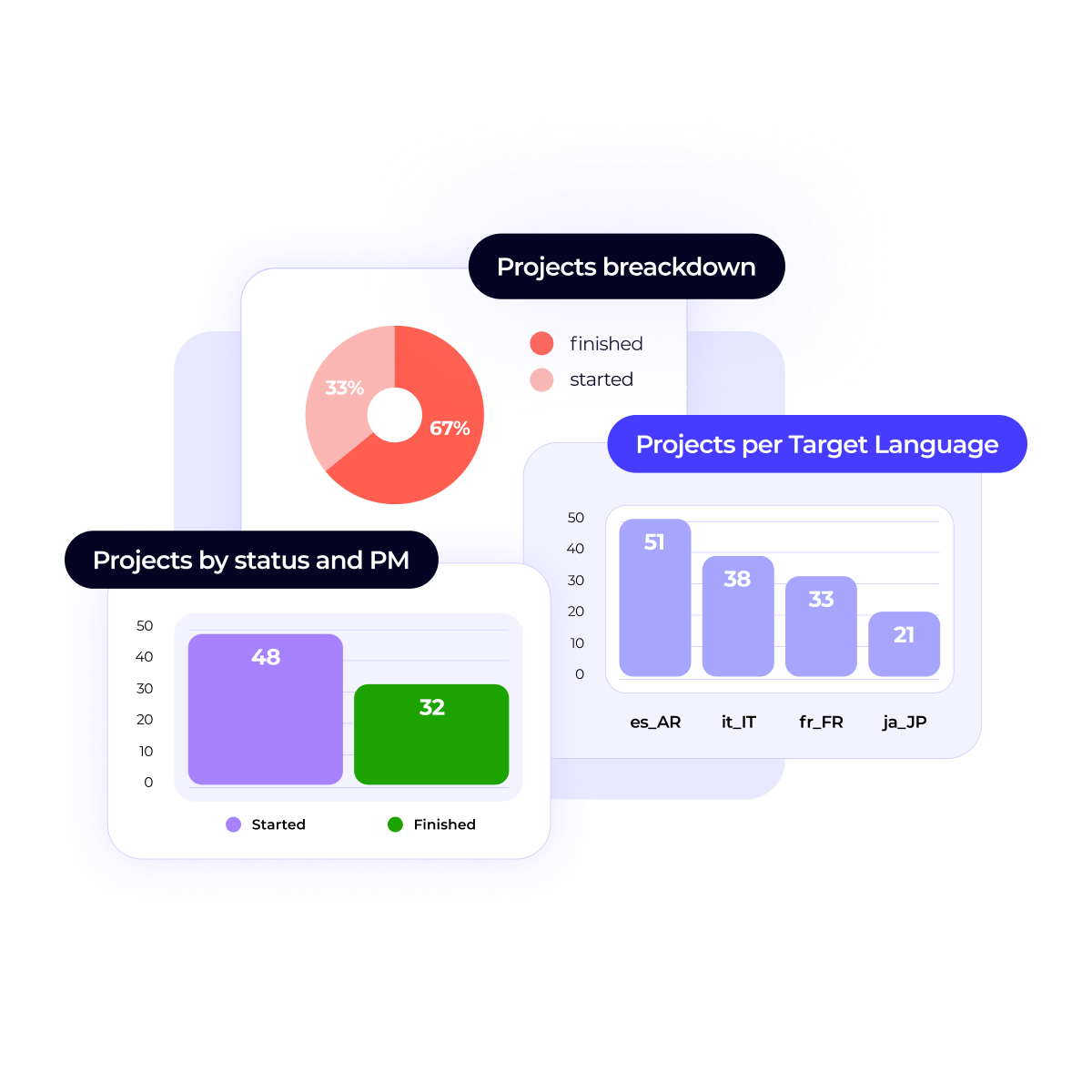
      Visual dashboards and historical data reveal performance gaps and cost drivers, helping you focus resources where they’ll make the biggest difference.

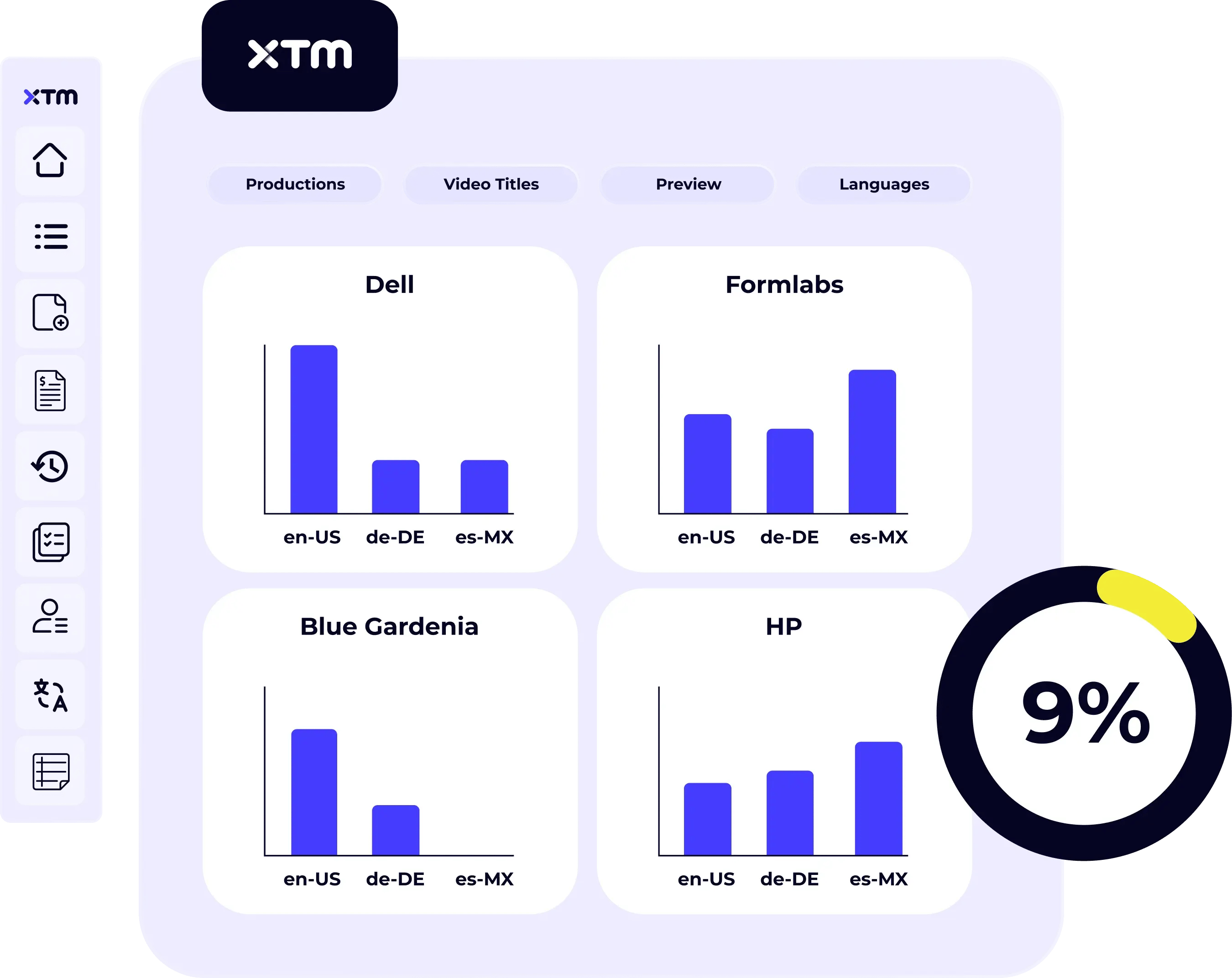
      Dashboard displaying multilingual video production stats for brands like Dell, HP, and Formlabs.

      Get more value from your vendor network

      Compare vendor performance by language, project type, or domain. Track quality, speed, and cost to allocate work efficiently and get the best ROI from your budget.

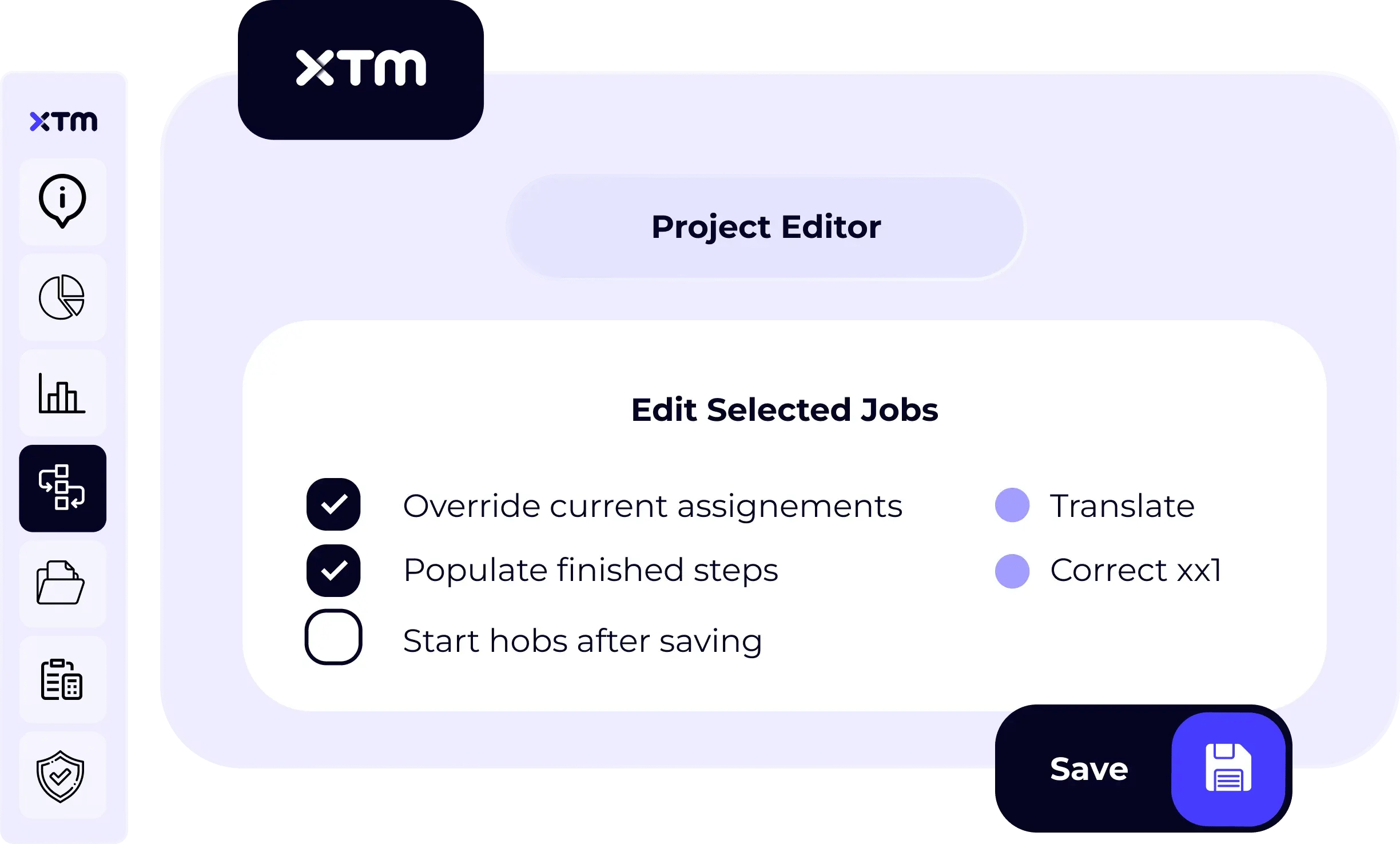
      Project editor showing job assignment options like override, populate steps, and select linguists.

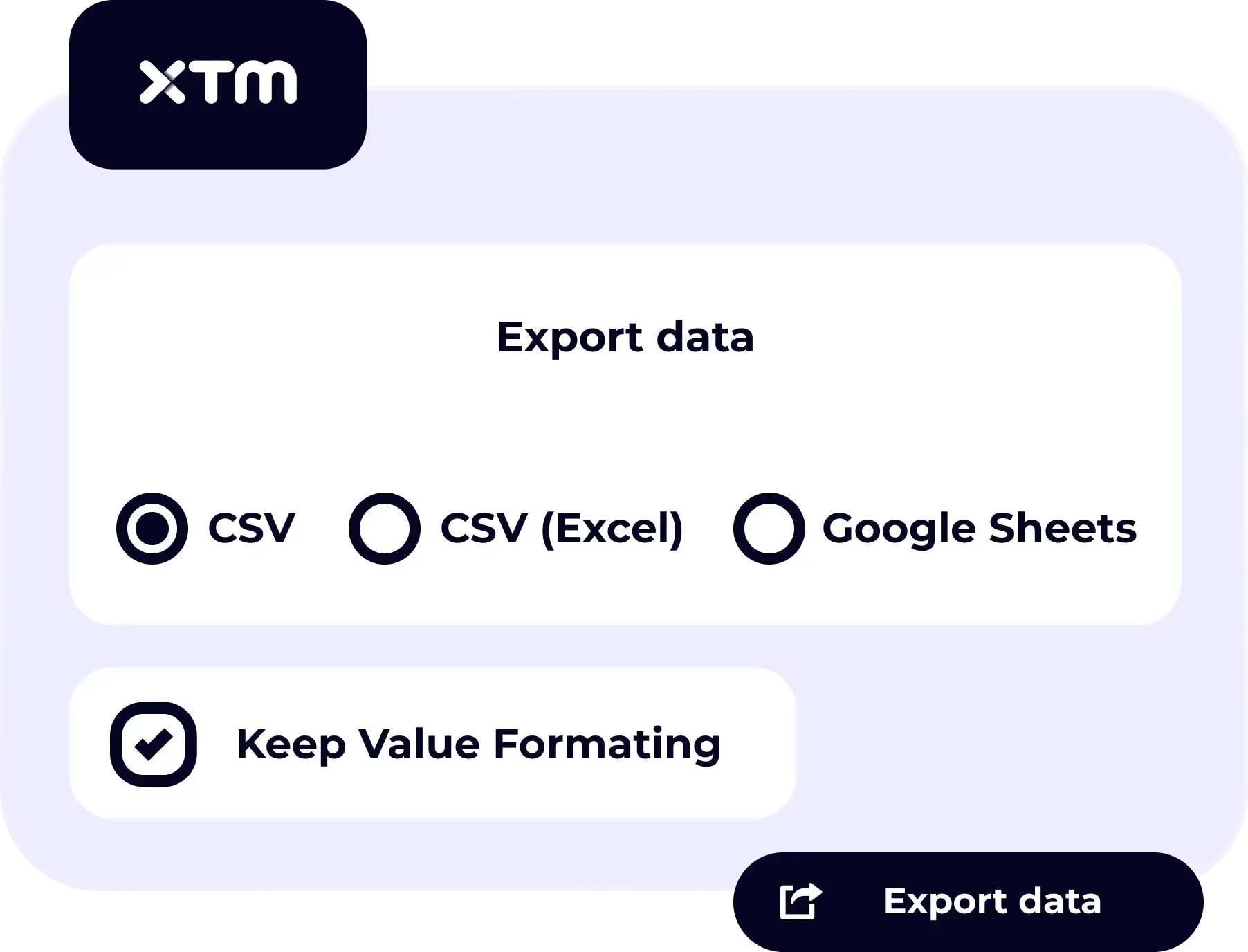
      Export visual data reports

      Create clear visual summaries for executive reports, business reviews, or vendor meetings. Export data in flexible formats that fit your organisation’s workflow.

      Export options for data: CSV, Excel, or Google Sheets, with formatting toggle.
    • Single arrow - lavender
      Actionable trend analysis
    • See how every project is performing

      Track throughput, translation memory reuse, costs, and delivery times across teams. Quickly see what’s on track and where delays could happen before they impact deadlines.

      Dashboard showing project KPIs: started, not started, finished, savings, and cost.

      Spot trends that guide smarter decisions

      Visual dashboards and historical data reveal performance gaps and cost drivers, helping you focus resources where they’ll make the biggest difference.

      Dashboard displaying multilingual video production stats for brands like Dell, HP, and Formlabs.

      Get more value from your vendor network

      Compare vendor performance by language, project type, or domain. Track quality, speed, and cost to allocate work efficiently and get the best ROI from your budget.

      Project editor showing job assignment options like override, populate steps, and select linguists.

      Export visual data reports

      Create clear visual summaries for executive reports, business reviews, or vendor meetings. Export data in flexible formats that fit your organisation’s workflow.

      Export options for data: CSV, Excel, or Google Sheets, with formatting toggle.
    • Single arrow - lavender
      Vendor performance optimization
    • See how every project is performing

      Track throughput, translation memory reuse, costs, and delivery times across teams. Quickly see what’s on track and where delays could happen before they impact deadlines.

      Dashboard showing project KPIs: started, not started, finished, savings, and cost.

      Spot trends that guide smarter decisions

      Visual dashboards and historical data reveal performance gaps and cost drivers, helping you focus resources where they’ll make the biggest difference.

      Dashboard displaying multilingual video production stats for brands like Dell, HP, and Formlabs.

      Get more value from your vendor network

      Compare vendor performance by language, project type, or domain. Track quality, speed, and cost to allocate work efficiently and get the best ROI from your budget.

      Project editor showing job assignment options like override, populate steps, and select linguists.

      Export visual data reports

      Create clear visual summaries for executive reports, business reviews, or vendor meetings. Export data in flexible formats that fit your organisation’s workflow.

      Export options for data: CSV, Excel, or Google Sheets, with formatting toggle.
    • Single arrow - lavender
      Visual report export
    • See how every project is performing

      Track throughput, translation memory reuse, costs, and delivery times across teams. Quickly see what’s on track and where delays could happen before they impact deadlines.

      Dashboard showing project KPIs: started, not started, finished, savings, and cost.

      Spot trends that guide smarter decisions

      Visual dashboards and historical data reveal performance gaps and cost drivers, helping you focus resources where they’ll make the biggest difference.

      Dashboard displaying multilingual video production stats for brands like Dell, HP, and Formlabs.

      Get more value from your vendor network

      Compare vendor performance by language, project type, or domain. Track quality, speed, and cost to allocate work efficiently and get the best ROI from your budget.

      Project editor showing job assignment options like override, populate steps, and select linguists.

      Export visual data reports

      Create clear visual summaries for executive reports, business reviews, or vendor meetings. Export data in flexible formats that fit your organisation’s workflow.

      Export options for data: CSV, Excel, or Google Sheets, with formatting toggle.

    See how every project is performing

    Track throughput, translation memory reuse, costs, and delivery times across teams. Quickly see what’s on track and where delays could happen before they impact deadlines.

    Dashboard showing project KPIs: started, not started, finished, savings, and cost.

    Spot trends that guide smarter decisions

    Visual dashboards and historical data reveal performance gaps and cost drivers, helping you focus resources where they’ll make the biggest difference.

    Dashboard displaying multilingual video production stats for brands like Dell, HP, and Formlabs.

    Get more value from your vendor network

    Compare vendor performance by language, project type, or domain. Track quality, speed, and cost to allocate work efficiently and get the best ROI from your budget.

    Project editor showing job assignment options like override, populate steps, and select linguists.

    Export visual data reports

    Create clear visual summaries for executive reports, business reviews, or vendor meetings. Export data in flexible formats that fit your organisation’s workflow.

    Export options for data: CSV, Excel, or Google Sheets, with formatting toggle.
    Business Intelligence Dashboards

    Take a guided tour of reporting and analytics dashboards

    This interactive product tour shows how reporting and analytics dashboards work inside the XTM platform. You’ll see how localisation data is structured, visualised, and used to support day-to-day and strategic decisions.


    See what’s possible with XTM

    This feature is just one part of XTM Cloud, a complete translation management system that helps global teams improve translation quality, deliver multilingual content faster, and drive global growth.

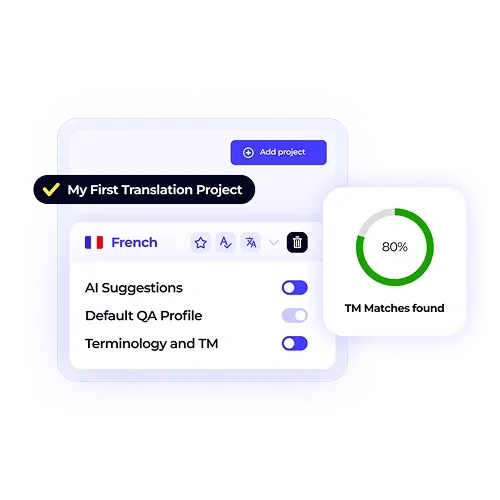
    A translation project dashboard for French content showing an 80% TM match. This graphic demonstrates how XTM Cloud leverages existing translation memory to boost efficiency and consistency.

    Trusted by localisation leaders everywhere

    See why teams choose XTM for their analytics needs.

    • “The XTM team was able to go out of their way to create a tailored solution for us, and we’re looking at introducing even more automation in the future. The fact that they are localization experts makes a big difference as they truly understand our needs.”

      Deepak Nagabhushana

      Deepak Nagabhushana

      Staff Localization Project Manager, GoTo
    • "XTM forms a big global ecosystem of seamlessly connected accounts to which thousands of users connect daily. Overall, the result is better quality with fewer resources."
      Vincent Rigal

      Vincent Rigal

      CAT Tools Products Owner, Acolad
    • “XTM stood out because it made it possible and easy for all our freelancers to work on a single, centralized platform. This enables us to monitor progress, and after the completion of a job, we can easily allocate that license to another vendor. This makes my daily tasks a lot easier, and I can focus on other value-added tasks.”
      Elisabeth Feulner

      Elisabeth Feulner

      Project Manager, Allround Service
    • “With XTM, we can now offer all customers across the world the same level of support and access to every new product we launch more quickly while reducing costs and errors, and ensuring consistency across all content.”

      Dominic-Pemberton 1

      Dominic Pemberton

      VP of Content, RS Group
    • “There’s no way we could be running the same operations today if we didn’t have the right tech stack in place.”

      Alex Katsambas

      Alex Katsambas

      Senior Head of Localization Services, FARFETCH
    • “We had a phenomenal setup with our content management system feeding automatically into and out of XTM. Now we’re able to harness the very best of both machine translation and human editing for outstanding cost efficiency.”

      Ronald-Egle-Ariel

      Ronald Egle

      Content Systems Administrator, Ariel Corporation
    • “XTM has become an integral part of our translation workflows, enabling us to deliver high-quality services to our clients efficiently and effectively.”
      Daniela Gorry

      Daniela Gorry

      Operations Director, Translations at THG Fluently – Ingenuity Commerce
    • “One of the delightful functionalities of XTM is its custom analysis templates, which can extract content from any complex source file format, like Java, send it for translation and then convert it back to its original format upon completion of the work.”
      Deepak Nagabhushana

      Deepak Nagabhushana

      Staff Localization Project Manager, GoTo
    • “Since implementing XTM, the volume of translated words for our most frequent language pairs has increased by approximately 10%. This wouldn’t have been possible without all the added automation a TMS provides.”
      Elisabeth Feulner

      Elisabeth Feulner

      Project Manager, Allround Service
    • “We needed to regain control over our assets and localization processes. XTM allowed us to reduce turnaround times, lower costs, and gain full control over our translation memory.”

      Caoimhse McGrath

      Translation Center of Excellence Program Manager, Johnson Controls
    • “XTM has been instrumental in streamlining our language solutions at THG Fluently – Ingenuity Commerce. With centralized resources, improved project visibility, and enhanced communication management, we have achieved greater productivity, cost savings, and client satisfaction.”
      Daniela Gorry

      Daniela Gorry

      Operations Director, Translations at THG Fluently – Ingenuity Commerce
    • Goto
    • Acolad
    • Allround Service
    • Group
    • farfetch
    • Ariel
    • THG Fluently
    • Goto
    • Allround Service
    • Johnson Controls
    • THG Fluently

    Numbers that speak for themselves

    Businesses using XTM see faster turnaround times, fewer errors, and consistent quality across languages and channels.

    50 %

    Reduction in translation errors

    42 %

    Cost savings with machine translation

    90 %

    Faster time-to-market

    Connect with your favourite tools

    XTM integrates with the platforms you already use.

    GitHub
    Figma
    Slack
    Gemini
    ChatGPT
    Akeneo
    Acolad
    DitaToo
    Adobe Experience Manager
    Amazon Translate
    Crosslang
    Alfresco
    Notion
    Language Weaver
    Applanga
    Microsoft Office SharePoint
    Contentstack
    Azure Repos
    CaptionHub
    Lingo 24
    Marketo
    Crownpeak
    Microsoft Translator
    Author it
    Muldrato
    Bitbucket
    Shopify
    Jira
    GitLab
    DeepL
    Drupal
    GitHub
    Easyling
    Optimizely
    Microsoft_Office_Excel
    Geofluent
    MindTouch
    Google Drive
    Google Translate
    Azure Devops
    Heretto
    Oneliner
    DitaWorks
    Kontent AI
    Intento
    Ixiasoft
    KantanAI
    Xperience Kentiko
    Omniscien Technologies
    Hubspot
    Oracle
    Plunet
    Ovitas
    Rigi by XTM - primary
    Contentful
    Zendesk
    WordPress
    RSuite
    Salesforce
    SAP_2011_logo
    Schema ST4
    SDL Trados
    Teamsite Opentext
    Servicenow
    Sitecore
    Tridion
    Systran
    transifex_symbol_blue
    SmartMate
    Veeva Vault
    Walkme
    XTRF by XTM logo

    Try XTM free for 30 days

    Give us a test run and see why over 1,300 global businesses choose XTM for their end-to-end localisation platform, powered by AI.

    100% access. No credit card required

    FAQs

    What metrics can I track with XTM's reporting features?

    You can monitor project volume, turnaround times, translation memory leverage, cost per word, linguist productivity, vendor performance, and quality scores. The system tracks both real-time and historical data to help you spot trends and make better decisions about your localisation operations.

    Start your free 30-day trial

    How do I create custom reports for different stakeholders?

    XTM lets you filter data by project, vendor, customer, domain, language pair, and more. You can save custom views for different roles and export dashboards as visual reports. This means your CFO gets cost summaries while your project managers see delivery timelines.

    Can I schedule automated reports to my team?

    Yes, you can set up weekly or monthly reports that automatically send to your stakeholders. This keeps everyone aligned on performance without manual work from your team. You choose what data to include and who receives each report.

    Book a quick demo with our team

    How does XTM help me manage vendor relationships better?

    The platform compares vendor performance across quality, speed, and cost metrics. You can see which vendors work best for specific language pairs or content types. This data helps you negotiate better rates and allocate work to the right partners.

    What's the difference between standard and premium BI dashboards?

    Standard dashboards track project volume, TM leverage, turnaround times, and core productivity metrics. Premium dashboards add advanced insights such as detailed cost breakdowns, vendor comparisons, budget variance tracking, and translation quality trends for deeper analysis. 

    Request a tailored pricing proposal for your business

    Isolation Mode Icon

    Make smarter localisation decisions with better data

    Stop guessing about your localisation performance. XTM's reporting and analytics capabilities give you the insights you need to optimise costs, improve quality, and scale your global content operations.